Your day,
as a terminal.
A daily routine tracker with a terminal soul. Tap to check off. Type to explore. No accounts, no noise.
iPhone & iPad · free to download · no account
![Routine's daily status screen: 33% complete, six items with [✓], [~] and [ ] markers, a streak of 12 days and a next-up line.](/assets/01-status.webp)
tap to track
Check it off, count it up, or time it. Every item is one line in your status.
type to explore
heatmap, uptime, whoami, status 10-01-2026. Type help and you're set.
glance from your home screen
Interactive widgets in five layouts. Tap a row to mark it done without opening the app.
% status --today
Three ways to finish a thing.
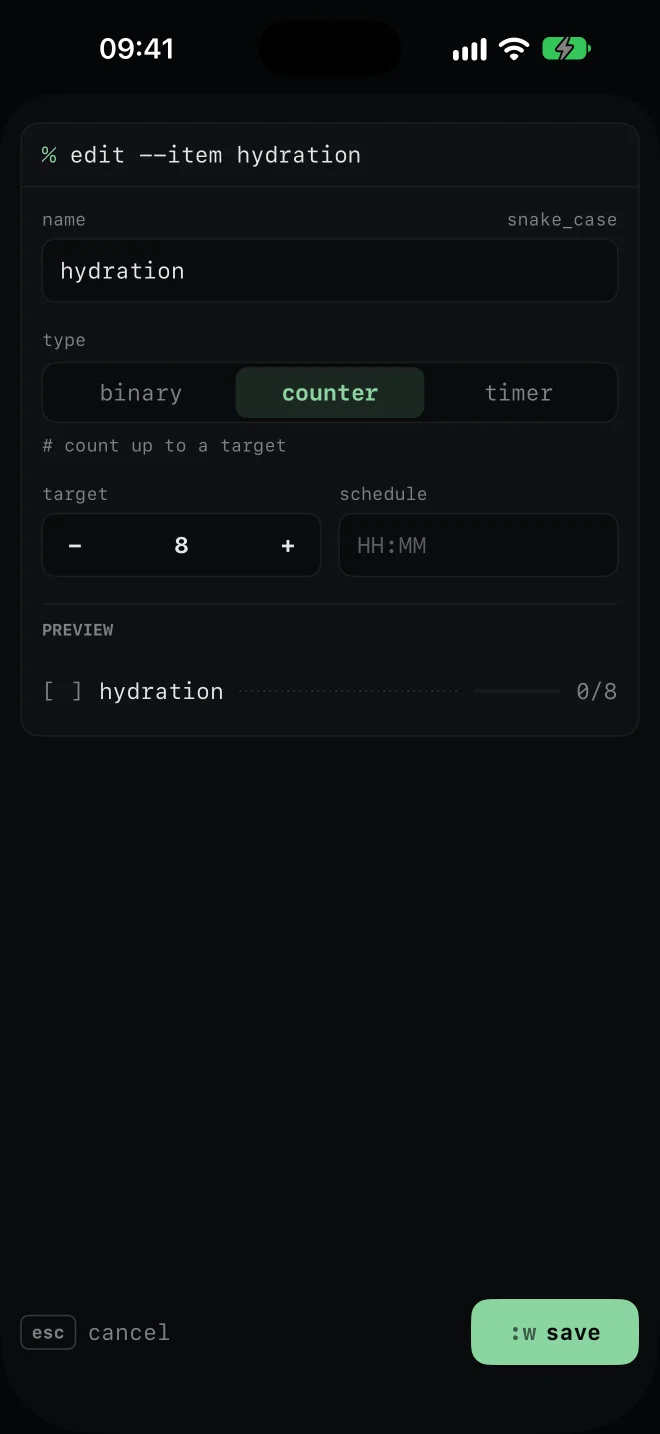
Check it off, count it up, or time it. Every item is a line in your status — [ ], [~], [✓]. A progress bar, your streak, and a → next line that tells you what's due.
- binary — tap to mark done, tap again to undo
- counter — count up to a target. 6/8 glasses of water
- timer — start, stop, and watch it count down
- long-press any item to reset it
% heatmap --12w
Know your uptime.
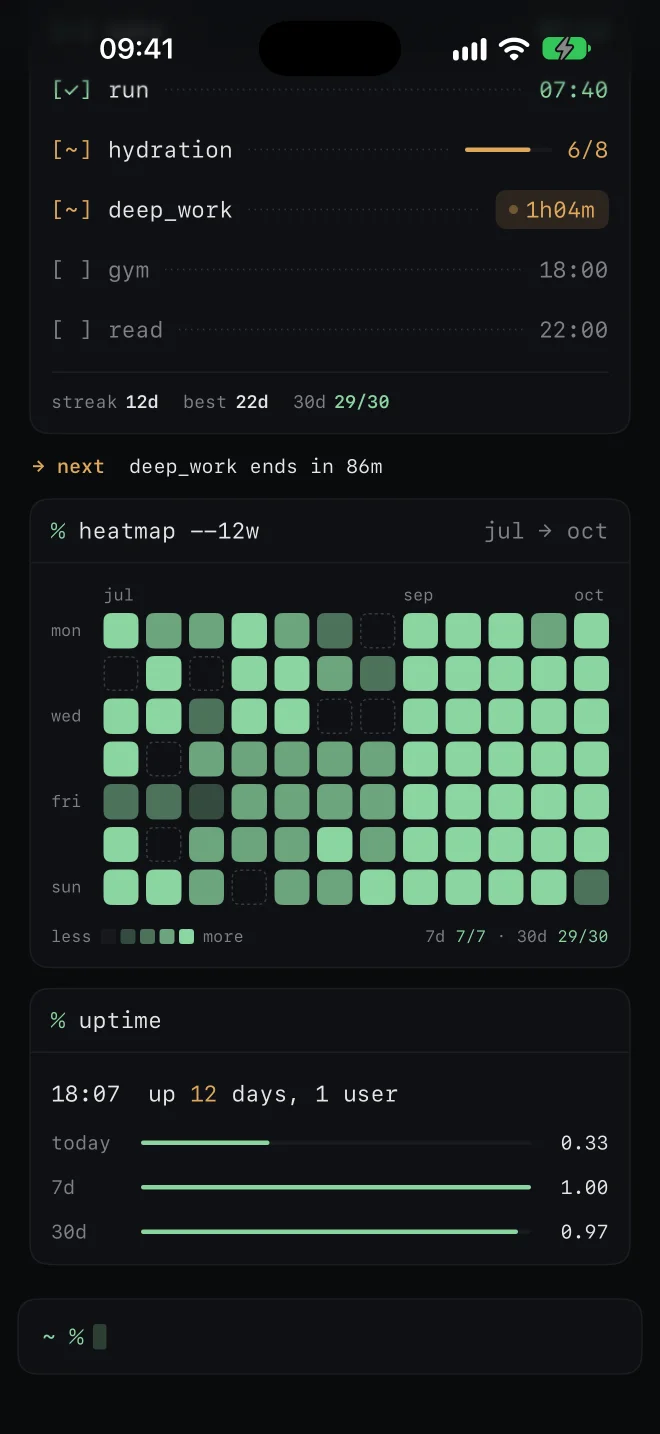
Twelve weeks of activity in one heatmap. A streak you can actually see. uptime tells you how long you've been up — with today, 7-day and 30-day completion bars.
- streak — consecutive days where every item is done
- best — your longest run, kept forever
- 30d — completion over the last month
premium — see what's included
% help
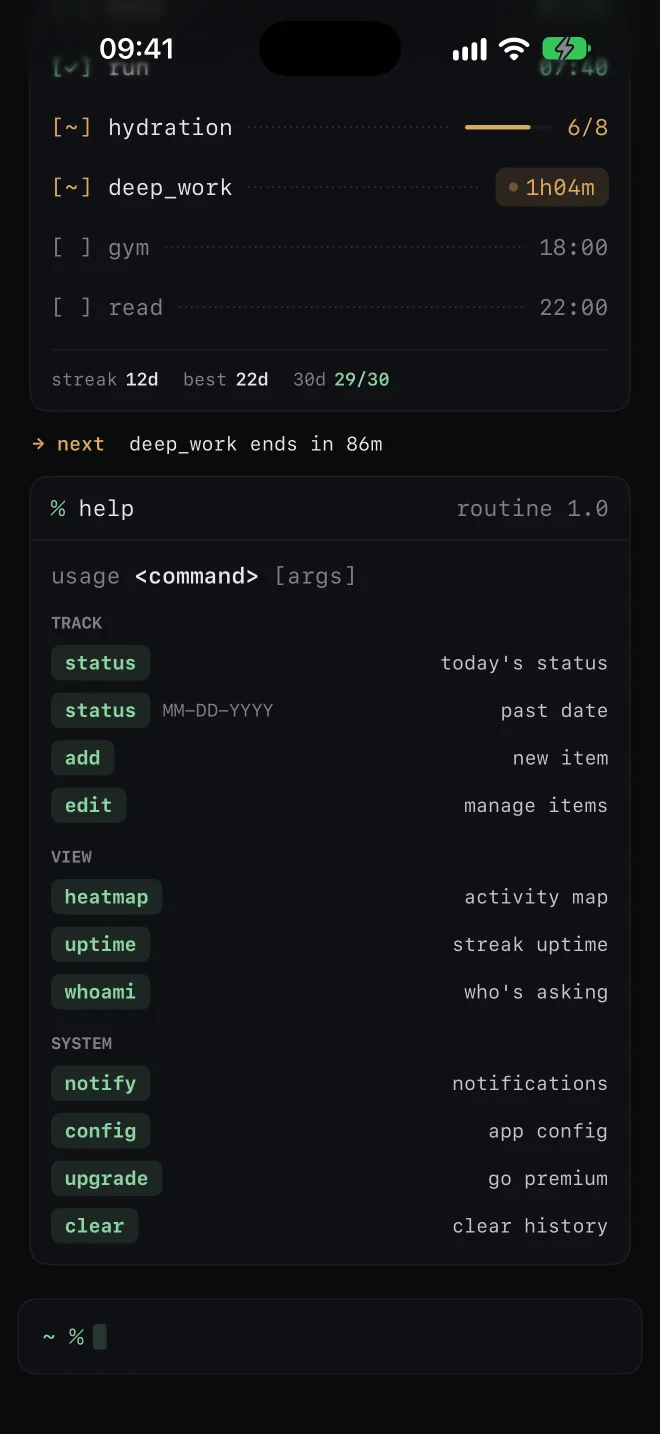
Everything is a command.
There's no menu to hunt through. The prompt at the bottom does it all — look up any past day, add an item, change a setting, clear the screen.
% config
Make it yours.
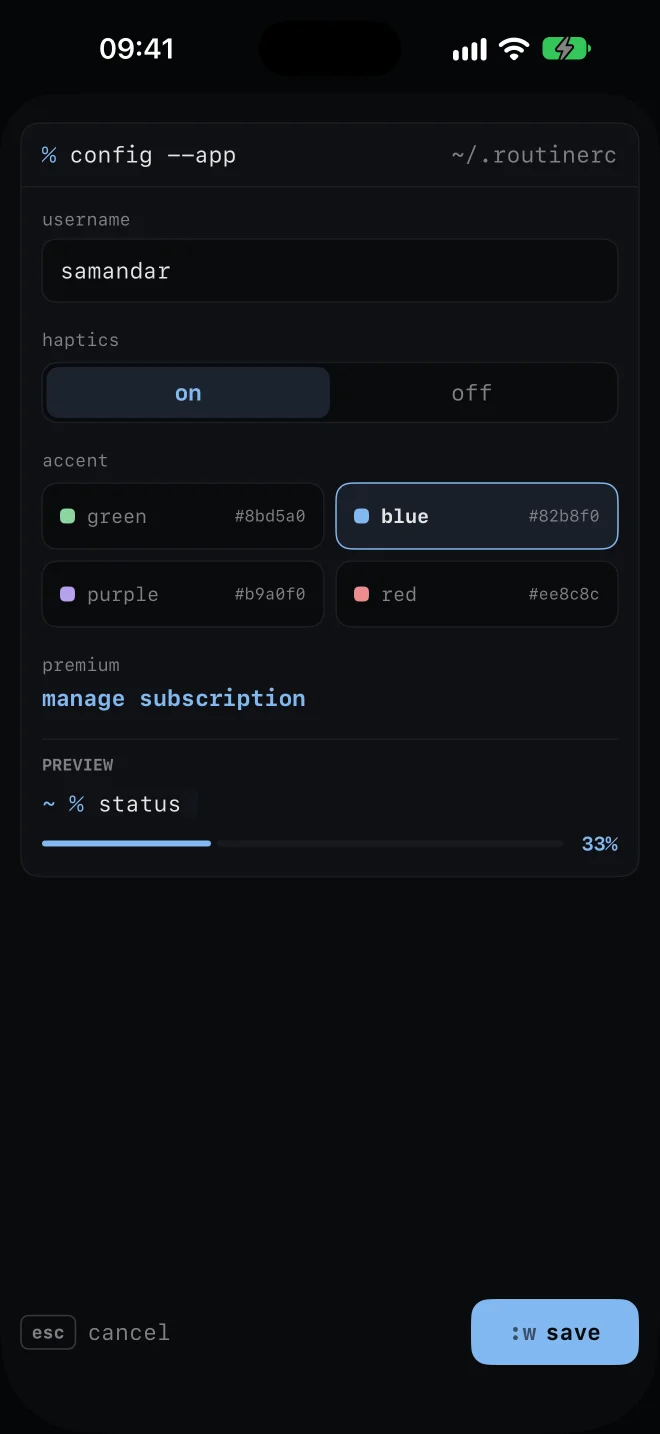
Pick an accent: green, blue, purple or red. It repaints the whole app and every widget. Rename everything. Haptics on or off.
% widgets --list
Check in from your Home Screen.
Five widget layouts, all in your accent color. Medium and large widgets are interactive — tap a row to mark it done without opening the app. premium
Routine Status
small — big completion %, per-item progress, streak.
Routine Status
medium · large — what's now and next, or every item at a glance. Tap to toggle.
Routine Now · Uptime
small · medium — your running timer, or your streak with the 12-week heatmap.
% cat privacy.txt
Your routine stays yours.
No account. No ads. No tracking. Your items, history and streaks live on your device. Purchases go through the App Store and RevenueCat, which never sees your routine. Read the full policy →
% man routine
Questions.
Do I need an account?
No. Routine works without any sign-up.
Where is my data stored?
On your device. Routine doesn't upload your routine data anywhere.
Is it free?
Yes, you can track an unlimited routine for free. Premium adds streaks, the heatmap, the uptime view, reminders and Home Screen widgets.
What counts as a “complete” day?
When every item on your list is done. Your streak counts consecutive complete days.
What happens if I miss a day?
Your current streak resets to zero; your best streak is kept.
I tapped something by mistake.
Long-press the item to reset it. For a binary item you can also just tap it again.
Can I change the items?
Yes — type edit to rename, reorder or delete, or add to create a new one. Types are binary, counter and timer.
How do widgets work?
Add a Routine widget from the Home Screen widget gallery. Medium and large widgets are interactive: tap a row to check it off without opening the app. Widgets are a premium feature.
How do I cancel my subscription?
Settings → Apple ID → Subscriptions → Routine. Deleting the app doesn't cancel it.
I bought premium on another device, or reinstalled.
Type upgrade (or open any locked feature) and tap “restore purchases”.
Does it sync between devices?
Not currently. Everything is stored on the device you're using.
~ % routine --start
Type a command. Build a habit.
Free to download. Go premium for streaks, heatmap, reminders and widgets.
coming soon to the app store